
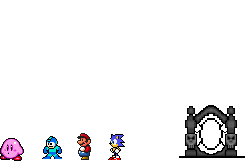
The following is a guide to using the map editor tools in Chip N' Dale's to build your house and build worlds of your own.
Chip N' Dale's has built in tools to make modifications to the game directly from the game. The tools are fairly easy to use, so you are invited to try them out, and if players like a world you've made, a moderator can bring it into the main world for everyone. Become part of the world development process in CND! Use the below guide to modify the CND world.
Using Development Tools Using Lua
How to Get a House
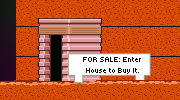
Every player can have a house, and it's free. Go to Housing Communities (in Home World, the teleporter marked Player Housing takes you there) and look for a house whose sign says FOR SALE. Stand on its door, press Down and say yes. It's yours from then on, and everyone in the world sees your name go up on the sign.
Choose carefully: you get one house, and it stays where it stands. You need an account to have one.
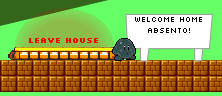
Press Down on the door again to go in. A new house comes with your name on its sign. Anything you set down in it stays where you left it, so you can furnish it with what it holds and with trophies out of your bag (press I). Visitors can move things about, but only what you do is kept, and only you can pick up a trophy in your own house.
Your house is also where you learn the development tools. One purpose of player housing is to encourage new players to become world developers. From
anywhere in the game, /go house takes you home.
How to Get a World
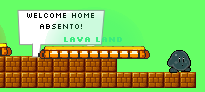
Once you have a house you can make worlds of your own, up to 10 of them. Stand on the floor of your house, press Enter to open the chat and type /world make Lava Land (any name up to 30 characters). A door with the world's name over it appears where you're standing. Press Down on it to go there.
Every new world starts the same: a strip of ground under the sky, a sign with its name, and the way back to your house where you arrive. Everything else is up to you, with the development tools.
Anyone in your house can use the door, so your worlds are open to visitors. Nothing counts there yet: no points are earned and no trophies can be kept until a moderator puts the world on the official list (see below).
/world make <name>- make a world, its door where you stand at home
/worlds- the worlds you've made
/go <name>- go to one of your worlds, from anywhere
/go house- your house
/go home- Home World
/invite <name>- ask a player to come to you;
/invitealone asks everyone /join <name>- go to whoever invited you;
/joinalone takes the latest invitation /world remove- standing on its door at home, delete a world for good
/help go- all of these, in the game
An invitation brings your friend to wherever you're standing, in any world. It's used up when they take it, and it runs out when you leave that world. Deleting a world asks first, because it can't be undone, and it can't be done while anybody is inside.
How to Get Your World into the Main World
Please read this section entirely before contacting a moderator.
It's pretty easy to get your world into the main world. A moderator just needs to see that you have an understanding of how to use the editing tools. Here's some things they look for (please present all of this in your world!):
- Knowledge of how to place signs
- Good spelling and grammar
- Alignment of objects so they do not overlap funny or have ugly gaps in them
- Understanding of how to place elevators
- Creative placement of objects
- Understanding of when too many objects makes an area look ugly or silly
- Understanding of how to place background objects
- Appropriate colour scheming
- Understanding of how to theme a world, sticking to objects that complement each other visually and do not look silly together
- Your world's name in your message, so they know where to go to see it
Message a moderator through the site's Mail Box, or post about it on the Discussion Board. If you can do the things in the above list then your world will get in!
A moderator puts it on the official list with /world official and places a portal to it in the main world. From then on it counts like any other world: points are earned there, its trophies
can be kept, and you can still edit it. A world with an official trophy in it can't go on the list until the trophy is taken out.
It also gets an entry in the World Guide with you named as its maker. You can write the entry's words there, and take its picture in the game with /world picture, standing where you want the middle of the picture to be, with the editor closed.











